
Puzzle / P003
lily's world XD Study Guide Password
The Study Guide folder opens with the title of Lily's favourite book, and the clue that names it is hidden in the blog itself. Here is the chain, the accepted spelling, and what opens once the folder does.
Quick answer
The password is kiterunner in the full release, entered as one word with no space. The clue comes from changing the background colour of Lily's blog, which reveals a hidden address, then an emoji page that asks for her favourite book. If the field rejects it, try kite runner with a space, which is the spelling recorded for the demo build.
- Written against the full release, which arrived on Steam for Windows on 17 September 2026. The demo records a spaced spelling of the same answer.
- No official source publishes this password. It is drawn from consistent community guides and cross-checked against the in-game book title.
- This page covers the Study Guide folder only. The other three locked inputs on the same desktop are covered on their own pages.
The password and the spelling question
Type kiterunner as a single word. It comes from the novel The Kite Runner, and the space in that title is the reason two spellings are in circulation.
The full-release guides agree on the unspaced form, and most of them say so explicitly because players try the spaced version first. The spaced version is not a myth: it comes from demo-scoped notes that instruct players to keep the space. Both describe the same book.
If the field rejects your first attempt, the spelling is a better suspect than your reading of the clue. Change only the spacing, retype, and if that fails, confirm the book title in the game before you try anything else.
| Spelling | Where it is recorded | Notes |
|---|---|---|
kiterunner | Full-release guides and the majority of post-launch write-ups | The form to try first |
kite runner | Demo-scoped notes, which tell players to keep the space | Try second if the one-word form fails |
Where the clue actually is
The clue is not in an email or a note. It lives in the blog's appearance settings, and the chain has three steps before you reach anything you can type.
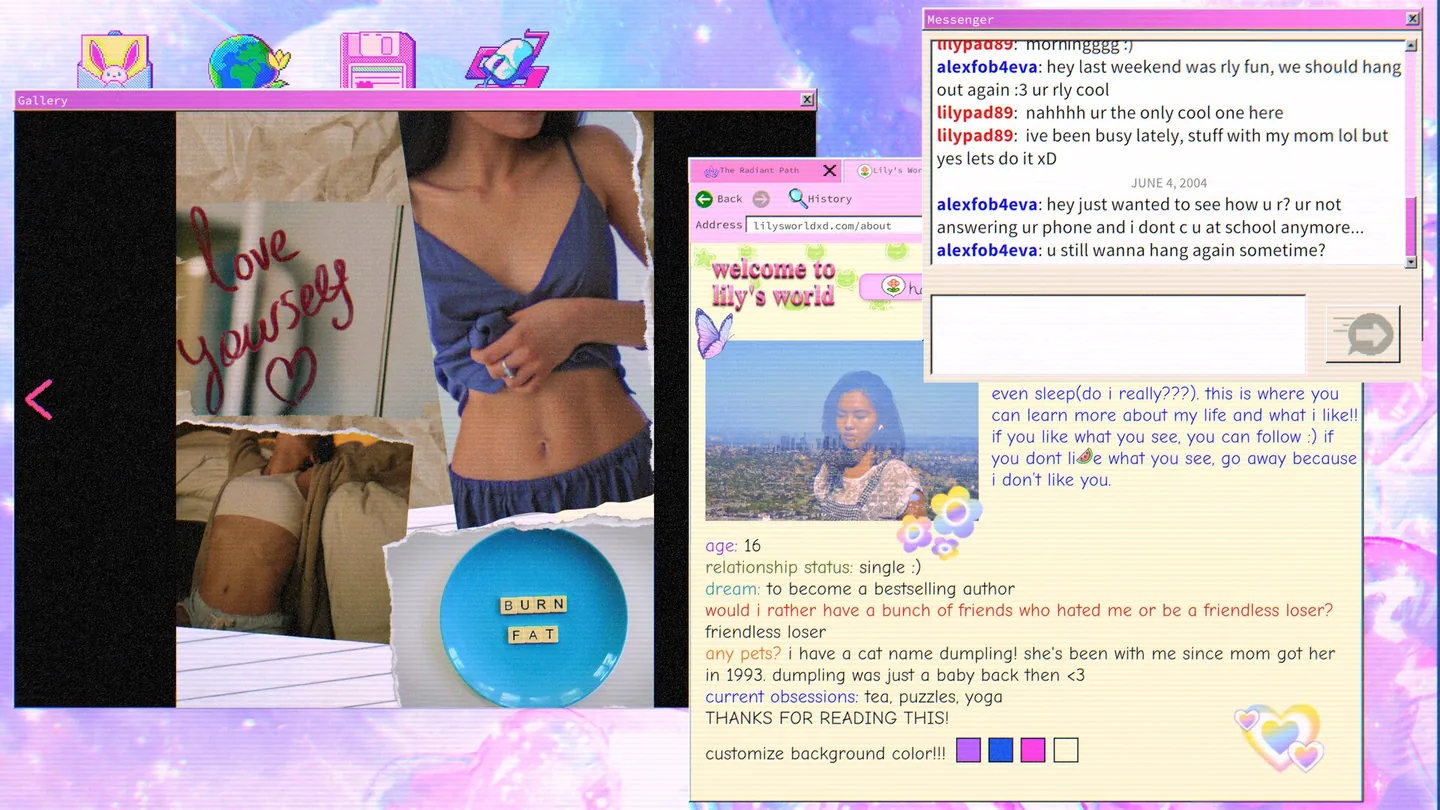
- Change the blog background colourThe blog offers a colour control, and the default pastel is the one that hides the clue. Pick any other colour and the page re-renders with an extra element. The home page and the About Me page both carry the same hidden link.
- Follow the hidden addressThe revealed element is a link to
lilysworldxd.com/studyguidepassword. Type it into the in-game browser, not into a real one, and the game serves you the page it means you to see. - Answer the emoji questionThat page is written in emoji and decodes to a question about Lily's favourite book. The answer is a title, not a word, and it is stated plainly in her Palster bio and again in an Iris conversation if you have already read them.
- Open the folderEnter the title at the Study Guide folder on the desktop. The folder unlocks and the game gives you two recordings plus an updated Web Watch entry.
Changing the colour is what reveals the link, and the emoji page behind it is the part that asks the actual question. If the colour changes and nothing appears, you are looking at a blog page without the widget rather than at the wrong clue.
What the folder gives you
Two recordings and a Web Watch update. The recordings are the first material in the game that Lily did not write down herself.
Opening the folder is one of the game's seven achievements, so the unlock is confirmed by a notification as well as by the new files. Read the Web Watch entry before you move on, because its update is what makes the next stage of the investigation visible.
If you are following the main route, the folder sits at stage two, immediately after the laptop login. The full walkthrough places it in sequence with the stages on either side.
If the password will not take
Three known causes, in the order worth checking.
- Spacing. The unspaced form is the full-release answer; the spaced form is the demo record. Try both before assuming the answer itself is wrong.
- The wrong locked folder. The Secret Folder on the same desktop takes a completely different password and sits directly beside the Study Guide.
- A case or font misread. The in-game text uses a decorative face where some letters are easy to confuse, so compare your typing against the clue one character at a time.